Skip to content
  • Shop
  • My account
  • Cart
  • Shop
  • My account
  • Cart
$0.00 0 Cart
  • Home2
  • Blog
  • Classroom Themes
  • Shop
  • TPT
  • Home2
  • Blog
  • Classroom Themes
  • Shop
  • TPT

Home

Blog

Classroom
Themes

Shop

TPT

How to Earn TPT Credits for Free Money on TPT

  • Frequently Asked Questions

Do you have a list on Teachers Pay Teachers of all the great resources you are hoping to purchase one day? 

🤫 Let me tell you a secret: there is a way to earn TpT credits (aka FREE money!) that you can use to buy products on TpT! 

How do you earn these TpT credits? 

It is really MUCH simpler than you might think. All you need to do is leave reviews on products you have already purchased! 😊

This helps other teachers know more about the resource from a fellow teacher’s perspective AND it gives you free money to use on future TpT purchases! 

How to Earn TpT Credits

⭐ Earn TpT credits by writing reviews on products you have already purchased. 

The number of credits you earn depends on the price of the resources you leave reviews on. 

Here’s the bottom line: the more expensive the product, the more credits you earn.

TpT breaks it down like this: 

-You earn 1 credit (which is equal to 5 cents) for every $1 you spent on that TpT purchase. 

➡️ For example, if you leave a review on a $5 product, you earn 5 credits (or 25 cents) to use toward future purchases. 

The more items you leave reviews for, the faster your credits will add up! 🤩

How to Leave TpT Reviews 

Alright, ready to start leaving reviews? Here’s exactly how to do it. 

You only receive TpT credits for paid items you have purchased. But, TpT sellers appreciate any and all reviews you are willing to leave on their products! 

To find your purchased items and leave a review, follow these steps. 

1️⃣ Click on your image at the upper right-hand corner of the page. 

2️⃣ Click on “My Purchases”. 

This image shows how to get to your my purchases on tpt by clicking your picture or name in the top right hand corner

3️⃣ Scroll through your purchases and find one you are excited to leave a review about! 

4️⃣ Click “Leave a Review” off to the side of that particular item. This will take you to that product’s page. 

5️⃣ Rate your satisfaction with the resource using the stars and share your experience using this item. 

This image shows how to leave a review on Teachers Pay Teachers

6️⃣ Scroll down and click submit! 

7️⃣ Click the “Back to My Purchases” to leave another review. 

This image shows an arrow pointing to back to my purchases

That’s it! 🙌

The process is pretty straightforward and simple. So, why not leave some reviews and start earning some TpT credits?! 

How to Check Your TpT Credit Balance

Okay, so you have left a couple of reviews and are excited to see how much free money you have earned! 

Here are the steps to follow to find your balance. 

First, click on your picture in the top right-hand corner of the screen. 

Next, click “Account Balance” from the drop-down menu. 

This image shows an arrow to click on your picture on TPT then "Account Balance"

From there, you will see an amount under “Account Balance”. These are your hard-earned rewards!! 

This image reads "You have $1.40 USD to spend" showing the free money earned from TPT credits.

Whoohoo!!! You have earned money to buy that resource you have had your eye on!! 🎉

How to Use Your TpT Credits 

The time has come. 

You have purchased products, put them to use in your classroom, and returned to TpT to leave killer reviews. 

Your account balance has grown and you are SUPER excited to use that free money to purchase that amazing classroom decor bundle you spotted the other day! 

When you are ready to make a purchase on TpT, an option will come up when you are in your cart to “Use account balance”. 

From there, you can see how many TpT credits are available to use and you can choose how much of that balance you would like to spend. 

Type in the amount you would like to use and click “apply”. 

This image shows how to type in your account balance and redeem your credits on tpt when making a purchase.

🎉 Yay! You have used your TpT credits to give yourself a discount! 🥳

I hope this was helpful. I know I was excited when I first figured out this hack! 😊

✅ Don’t forget to keep leaving reviews to increase your account balance! 

If you are looking for a great deal to use your credits on, I would encourage looking for a “Growing Bundle” on TpT. 

Not sure what a “Growing Bundle” is? Check out my blog post describing what “Growing Bundle” means on TpT and why they are killer deals! 

Share it:

Email
Facebook
Pinterest
Twitter
PrevPreviousOrganize Like a Pro: 3 Tools to Tame the Teacher Paper Trail
NextHow to Set Up a Classroom Sound Wall Next

You might also like...

This image shows a classroom decorated in bright colors. The text at the bottom of the image reads "9 Common Questions About Printable Classroom Decor (with answers!)"

9 Common Questions About Printable Classroom Decor (With Answers!) 

This image shows two posters for a calm corner in a classroom that are printed without white margins.

How to Print Without Margins: A Teacher’s Step-by-Step Guide  

This image shows lots of different classroom resources printed in bright colors. The text at the bottom reads Money-Saving Hack for Printing Classroom Decor.

Money-Saving Hack for Printing Classroom Decor from Home

Post Categories

Categories
  • Classroom Decor Inspiration
  • Classroom Management
  • Classroom Organization
  • Classroom Themes
  • Decor Tips and Tricks
  • Free Classroom Decor
  • Frequently Asked Questions
  • Teacher Tips
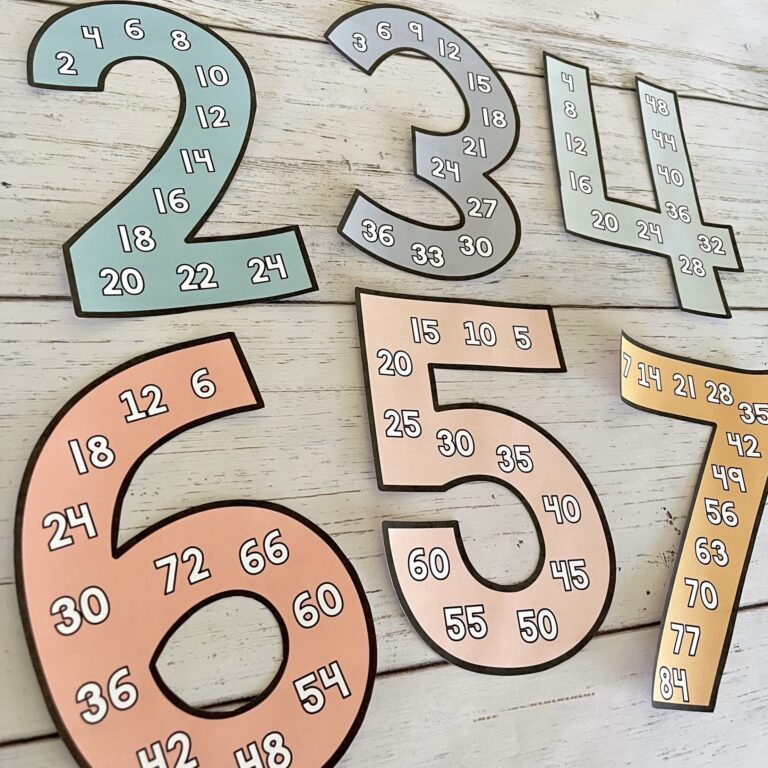
Free Skip Counting Posters

Looking to reinforce skip counting / multiple fluency with your elementary students? Sign up below to receive these posters (includes 1-12) for FREE!

(Please use a personal email address to avoid spam filters)

Comment “putty” for the link! Comment “putty” for the link!
Ever wish you could create any saying for your cla Ever wish you could create any saying for your classroom? 💭

Same! That’s why I created editable bulletin board letters. You’re not stuck with pre-made sets or sayings that  almost work but not quite.

YOU get to decide what goes on your walls!🫶

Want to label your reading corner? Done. Need a math challenge display? Easy. Feeling motivational? Create “You Got This” wherever you want! Subject area labels? Totally covered.

The possibilities are literally endless, and you can make it say EXACTLY what you need! ✨

I created bulletin board letters  in so many different color schemes so you can match whatever aesthetic your classroom has going on 🤗

Comment “LETTERS” for the link to all the color options!
Each summer I do a classroom makeover for a local Each summer I do a classroom makeover for a local teacher and here is a throwback to last years 😍🤠

Sam chose the retro rodeo theme and it was so much fun to put together🤗 I’ve been thinking about it a lot lately because we’re getting closer to this summer’s makeover and I’m already so excited to pick a winner and see what theme we do this year 😍

If you’re already reaming about what your classroom could look like next year, swipe through for some inspo! ➡️

What theme are you thinking for next school year? I’d love to hear! 👇
Welcome to the world, Noah🤍 Our sweet rainbow baby Welcome to the world, Noah🤍 Our sweet rainbow baby was born on Feb. 27th. We are truly blessed you are finally earth-side, you are so loved🩵
A little Spring Door (and Bulletin Board) Inspo✨🌸 A little Spring Door (and Bulletin Board) Inspo✨🌸

I included three different phrase options so you can choose what fits your classroom vibe best: 
🌼 Kindness Blooms Here 
🌼 Creativity Blooms Here 
🌼 Learning Blooms Here

Swipe to see! ➡️

Comment “SPRING” for the link to grab it!
Rewards that don’t require a Target run? YES PLEAS Rewards that don’t require a Target run? YES PLEASE 🙌 Comment “Coupons” for the link!
Follow on Instagram

Sign Me Up!

Receive exclusive freebies and be the first to know about new classroom decor and TPT sales by signing up below!
(Please use a personal email address to avoid spam filters)
Instagram Pinterest-p Tiktok
  • Home2
  • About
  • Contact
  • Website Terms of Use
  • Privacy Policy
  • Home2
  • About
  • Contact
  • Website Terms of Use
  • Privacy Policy
© Shayna Vohs • Website by KristenDoyle.co